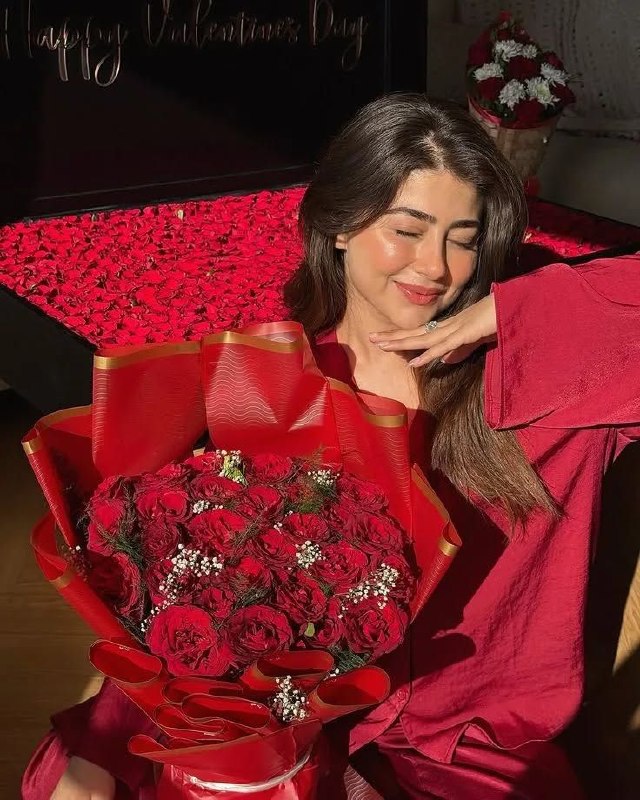
Grand Theft Auto VI launched on November 19, 2026, and within hours the internet was flooded with fan-made loading-screen posters. The look is instantly recognisable: thick black outlines, flat cel shading, halftone dots and a hot-pink sunset over a sun-bleached Florida-style boulevard. You do not need to be an illustrator to make one. Any modern image model — Nano Banana Pro, Midjourney, Seedream or ChatGPT Images — can turn a plain photo or a short text description into a convincing GTA 6 style poster, as long as you describe the style instead of the brand name. Below are eight prompts tested across the most popular models, with the exact wording that worked.
What Makes the GTA 6 Loading-Screen Look
Before you copy a prompt, know the five traits that do most of the work — get them right and any subject looks like it belongs on a game loading screen.
Line work. Thick black ink outlines around the subject, the car and the buildings — use “thick black ink outlines” in every prompt.
Shading. Flat cel shading with clean, simple shadows — no soft gradients or realistic shading.
Texture. Subtle halftone dots, the printed-poster texture that gives the art its retro feel.
Palette. A hot-pink and tangerine sunset sky, with magenta and cyan neon accents at night. This sunset palette is the single strongest signal of the style.
Setting. A sun-bleached Florida-inspired beachfront boulevard: palm silhouettes, pastel art-deco hotels and vintage cars.
End every prompt with “No text, no letters, no logos, no weapons.” Image models still garble text, and the loading-screen look never needs words on the poster. If you are new to structuring prompts this way, our guide on how to write AI image prompts that actually work explains the formula behind each example below.
8 Tested GTA 6 Style AI Image Prompts
Each prompt below is copy-paste ready. Prompts 1 to 4 and 6 to 8 work as pure text-to-image prompts, while prompt 5 is designed for photo-to-poster editing — upload your own photo first, then paste the prompt.
1. Loading-Screen Portrait
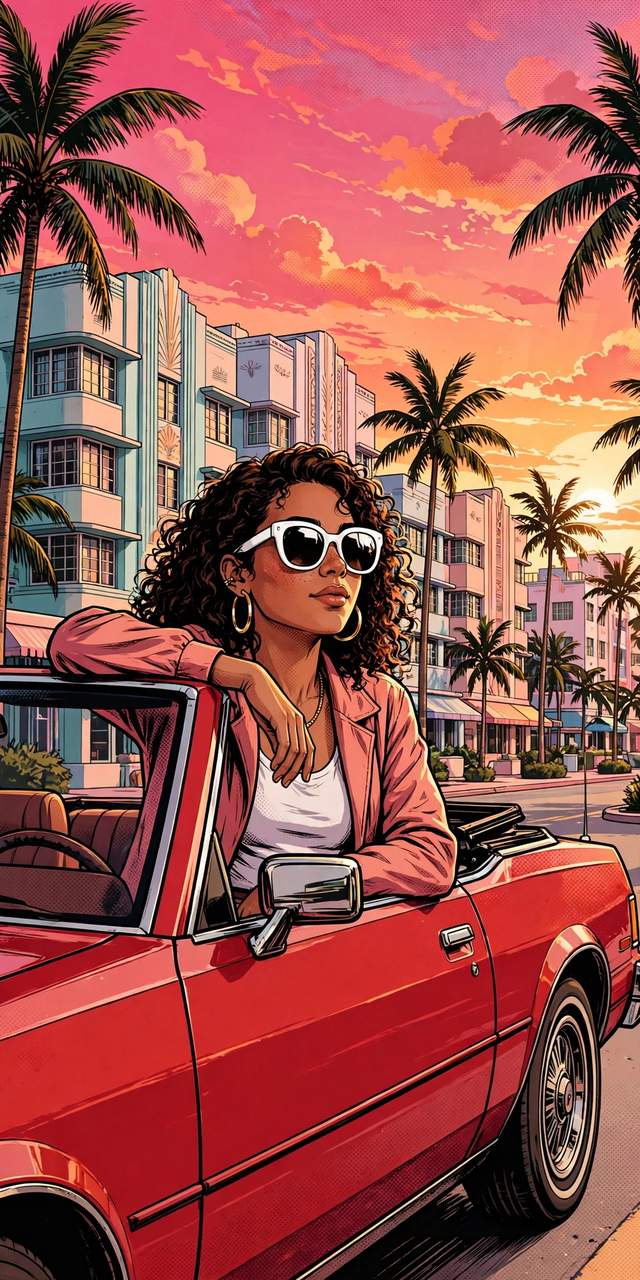
The classic poster shot — one strong character, one vintage car, one sunset.
Bold graphic loading-screen poster illustration of an adult woman in oversized white sunglasses and a gold hoop earring, leaning on the door of a cherry-red 1980s convertible, sun-bleached Florida-inspired beachfront boulevard behind her with palm trees and pastel art-deco hotels, hot-pink and tangerine sunset sky, thick black ink outlines, flat cel shading with subtle halftone dots, high contrast, vertical composition. No text, no letters, no logos, no weapons.2. Miami Street Walk
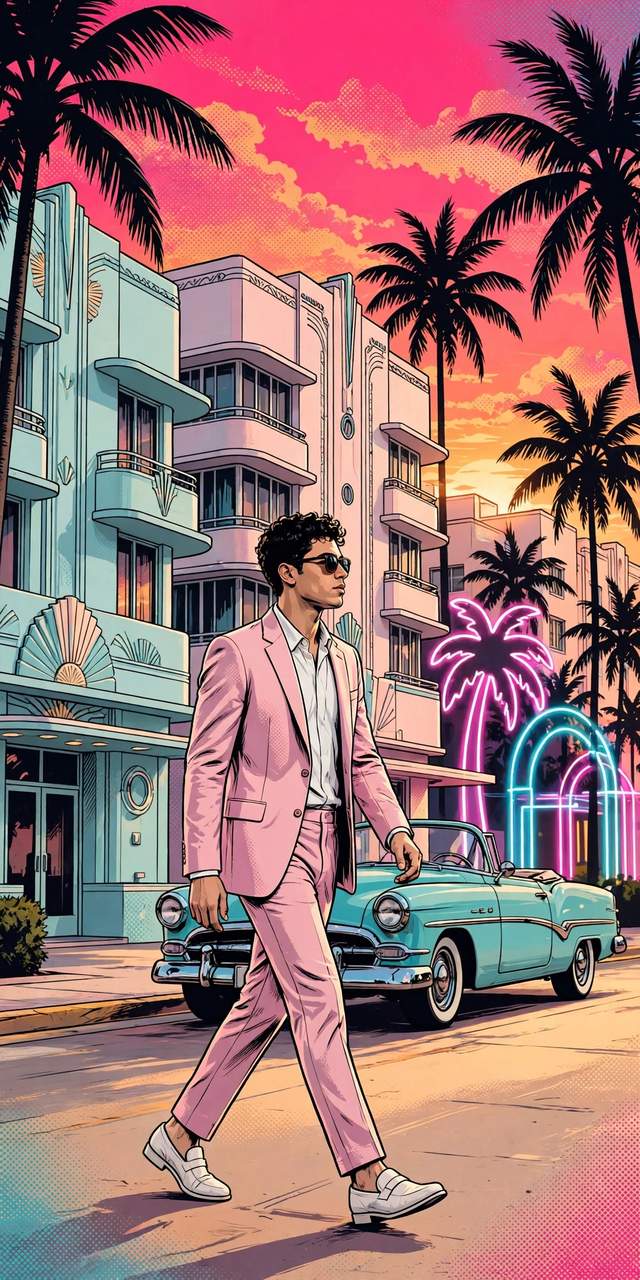
A full-body character poster with movement — the pastel suit and neon push the palette further toward the game’s key art.
Bold graphic loading-screen poster illustration of a stylish young man in a pastel pink suit and white loafers walking across a sun-bleached Miami beachfront street at golden hour, palm tree silhouettes, pastel art-deco hotels, a turquoise vintage car and magenta and cyan neon signs behind him, hot-pink and tangerine sunset sky, thick black ink outlines, flat cel shading with subtle halftone dots, high contrast, vertical composition. No text, no letters, no logos, no weapons.3. Beach Sunset Couple
Keep the description short for each person — one outfit detail and one pose each.
Bold graphic loading-screen poster illustration of a young couple standing on a Florida beach at sunset, the woman in a yellow sundress holding a straw hat, the man in an open Hawaiian shirt and sunglasses, turquoise ocean and palm trees behind them, hot-pink and tangerine sunset sky, thick black ink outlines, flat cel shading with subtle halftone dots, high contrast, vertical composition. No text, no letters, no logos, no weapons.4. Neon Night on Ocean Drive
The night version: swap the sunset for neon — magenta and cyan against deep blue-black shadows.
Bold graphic loading-screen poster illustration of a woman in a red satin dress and sunglasses standing under glowing magenta and cyan neon signs on a Miami Ocean Drive street at night, art-deco hotels and palm trees lit by neon, wet pavement reflections, deep blue night sky, thick black ink outlines, flat cel shading with subtle halftone dots, high contrast, vertical composition. No text, no letters, no logos, no weapons.5. Turn Your Selfie Into a GTA 6 Poster
Upload a clear front-facing photo, then paste this prompt. Photo-to-poster keeps your face, clothes and pose while redrawing everything in the loading-screen style.
Turn the person in this photo into a bold graphic loading-screen poster illustration, keeping the same face, hairstyle, outfit and pose, sun-bleached Florida-inspired beachfront boulevard behind them with palm trees and pastel art-deco hotels, hot-pink and tangerine sunset sky, thick black ink outlines, flat cel shading with subtle halftone dots, high contrast, vertical composition. No text, no letters, no logos, no weapons.6. Vintage Car Wide Shot
When the car is the hero, go wide and low — a low angle makes an ordinary car look like a poster star.
Bold graphic loading-screen poster illustration of a cherry-red 1980s convertible parked on a sun-bleached Florida beachfront boulevard at sunset, low-angle wide shot, palm tree silhouettes and pastel art-deco hotels behind it, hot-pink and tangerine sunset sky, thick black ink outlines, flat cel shading with subtle halftone dots, high contrast. No text, no letters, no logos, no weapons.7. GTA 6 Style Pet Portrait
Pets suit this style well — bold outlines flatter fur and simple shapes. One accessory is enough.
Bold graphic loading-screen poster illustration of a golden retriever dog wearing cool black sunglasses, sitting on a sun-bleached Florida beachfront boulevard at sunset, palm trees and pastel art-deco hotels behind it, hot-pink and tangerine sunset sky, thick black ink outlines, flat cel shading with subtle halftone dots, high contrast, vertical composition. No text, no letters, no logos, no weapons.8. Friends Duo Poster
Give each person a single outfit detail and let the car and sunset fill the rest of the frame.
Bold graphic loading-screen poster illustration of two friends leaning on a turquoise vintage car on a sun-bleached Florida beachfront boulevard at sunset, one in a white linen shirt and sunglasses, the other in a coral tank top and denim shorts, palm trees and pastel art-deco hotels behind them, hot-pink and tangerine sunset sky, thick black ink outlines, flat cel shading with subtle halftone dots, high contrast, vertical composition. No text, no letters, no logos, no weapons.Which AI Image Generator Works Best for GTA 6 Style
All three leading models can produce this look, but they differ in speed, price and feel. In recent side-by-side tests, Nano Banana Pro was fastest (21–26 seconds per image), Seedream 5.5 cheapest (about $0.02) and most faithful to long descriptions, and Midjourney V8.2 most painterly, returning four candidates per run. For photo-to-poster edits, Nano Banana Pro and Seedream both kept the person’s face and shirt faithfully, which is exactly what prompt 5 needs. If you mainly use Midjourney, our Midjourney prompts for beginners guide explains the parameters that control style and aspect ratio. Whichever tool you pick, generate at least three variations — the first result is rarely the best poster.
5 Mistakes That Break the GTA 6 Look
1. Naming the game instead of describing the style. Writing “GTA 6 style” alone gives vague results — describe the traits instead: outlines, cel shading, halftone dots and the sunset palette.
2. Asking for text on the poster. Image models still mangle letters. Let the poster stay text-free and add any caption yourself in an editor afterwards.
3. Overloading the prompt. Five characters, three cars and a full street scene will melt into a mess. One hero subject, one setting, one palette.
4. Using realistic lighting words. Words like “cinematic lighting” or “photorealistic” fight the flat cel-shaded look — do not mix the two styles in one prompt. For realism, see our guide on how to make AI images look photorealistic.
5. Forgetting the vertical format. Loading-screen posters are vertical. Add “vertical composition” or a 9:16 aspect ratio, or your poster will come out as a wide landscape that crops badly on phones.
Quick Checklist Before You Generate
- Style words included: thick black ink outlines, flat cel shading, halftone dots
- Palette set: hot-pink and tangerine sunset, or magenta and cyan neon at night
- Setting named: Florida-inspired boulevard, palms, pastel art-deco hotels
- One hero subject only, with one outfit detail and one pose
- “No text, no letters, no logos, no weapons” at the end
- Vertical composition or 9:16 aspect ratio specified
- For selfies: clear front-facing photo uploaded before prompting
- Generate 3 variations and keep the one with the cleanest outlines