Midjourney is one of the easiest AI image generators to start with, but only if your prompts are written the right way. A vague prompt gives you a random image. A clear prompt gives you the image you actually imagined. This guide gives you 10 ready-to-use Midjourney prompt examples for beginners, plus the simple formula behind every one of them.
If you are new to prompt writing in general, start with our guide on how to write AI image prompts — the same subject, action, setting, composition, lighting and style method works in Midjourney too.
The Midjourney prompt formula for beginners
Most good Midjourney prompts follow the same order: subject + action + setting + style + lighting + camera. You do not need all six every time, but a prompt with only a subject will always disappoint you. Compare these two:
cat
cat sitting on a windowsill at golden hour, looking at the rain, cozy apartment, cinematic light, 85mm lens, photorealistic --ar 4:5
The second prompt tells Midjourney what the cat is doing, where it is, what the light looks like, and how the photo should feel. That is the whole secret. For more on making results look real, read our guide on how to make AI images look photorealistic.
1. Portrait prompts
Portraits are the fastest way to learn Midjourney, because a face shows every mistake immediately. Try this:
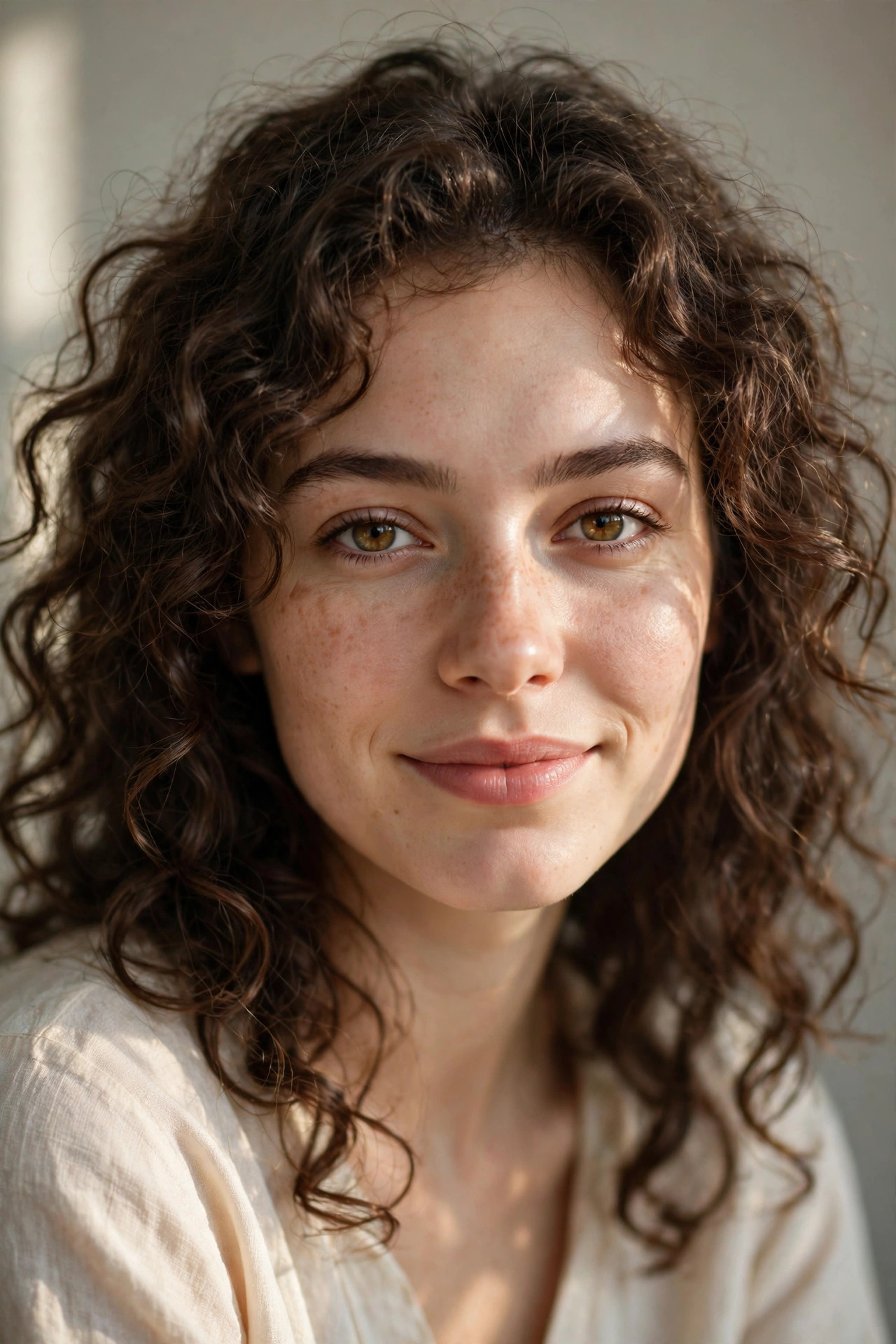
portrait of a young woman with curly hair, soft window light, neutral background, gentle smile, 85mm lens, shallow depth of field, photorealistic --ar 4:5Change one thing at a time — the light, the lens, the background — and watch what changes. Our AI portrait prompts guide explains pose, expression, clothing and light in detail.
2. Product prompts
minimal product photo of a white ceramic coffee mug on a light wooden table, soft morning light, clean background, studio photography --ar 1:1Product prompts work best when you name the material, the surface and the background. Vague words like “beautiful” do not help; “matte ceramic” and “light wooden table” do.
3. Landscape prompts
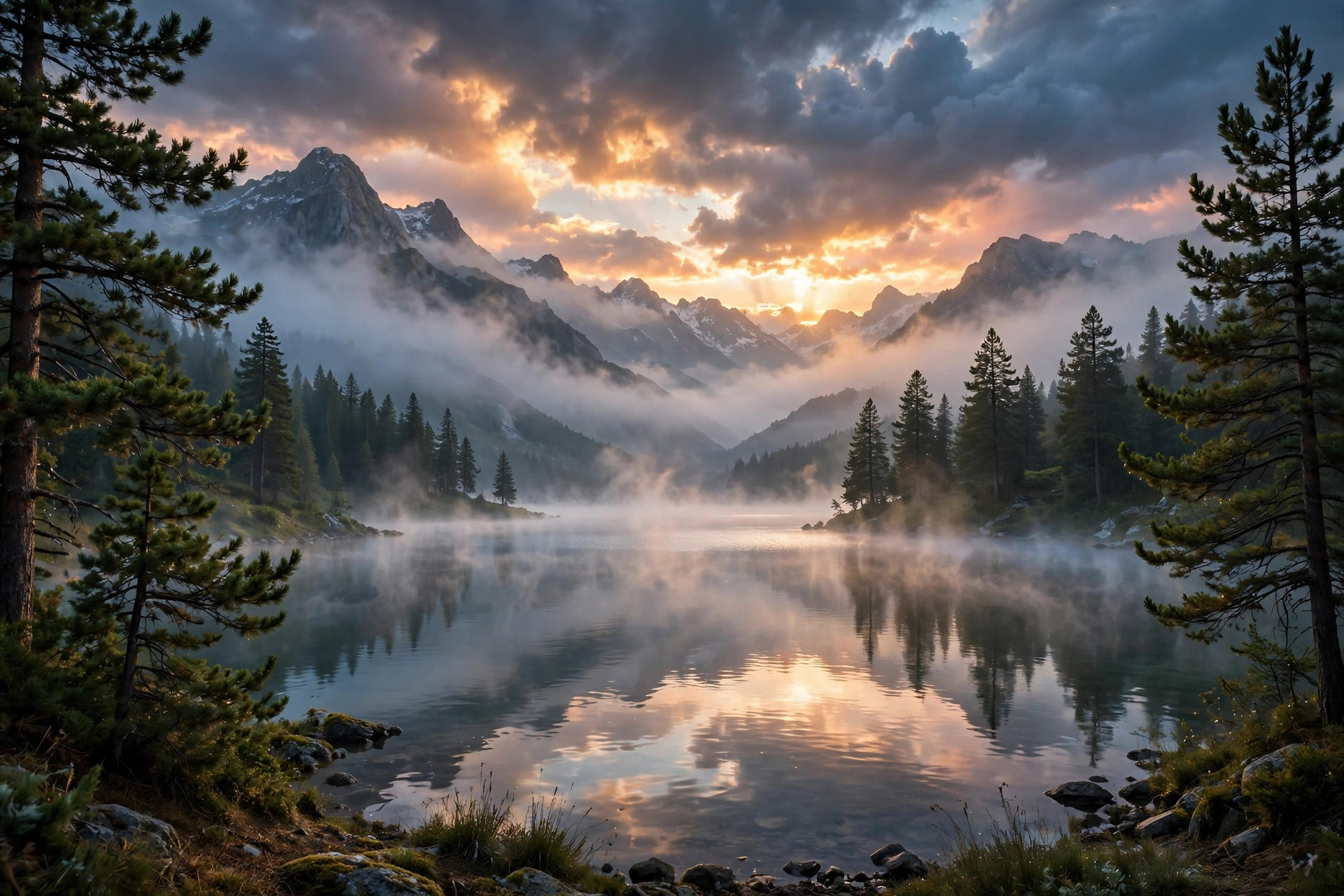
mountain lake at sunrise, mist over the water, pine trees on the far shore, dramatic sky, wide angle, cinematic --ar 16:9Landscapes need a sense of scale. Add one small element — a boat, a person, a cabin — so the viewer can feel how big the scene is.
4. Food prompts
overhead photo of a rustic pasta dish on a dark slate plate, fresh basil, steam rising, warm restaurant light, food photography --ar 4:55. Street photography prompts
rainy street in Tokyo at night, neon signs reflecting on wet pavement, person with umbrella walking away, cinematic, 35mm --ar 3:26. Fantasy and illustration prompts
small wooden cottage in an enchanted forest, glowing windows, fireflies, misty evening, storybook illustration style --ar 16:97. Logo and icon prompts
minimal logo of a mountain and sun, simple geometric shapes, flat design, one colour, white background --ar 1:1Keep logo prompts simple. Midjourney is not a logo tool, so short prompts with “minimal” and “flat design” work better than long descriptions.
8. Social media prompts
bright flat lay of coffee, notebook and sunglasses on a pastel background, top-down view, clean and airy, Instagram style --ar 4:5For social media, always set the aspect ratio first — 4:5 for feeds, 9:16 for stories and reels. See our AI image aspect ratios guide for the full list.
9. Text-free poster prompts
Midjourney still struggles with text in images. If you need a poster, describe the scene and leave the text out — add it later in Canva or Photoshop. Read why AI image generators struggle with text before you waste credits on posters with garbled words.
concert poster background, dramatic stage lights, crowd silhouettes, dark background with empty space at the top for text --ar 4:510. Style reference prompts
Once a prompt works, reuse it as a template. Keep the subject and change only one word at a time: the season, the time of day, the camera lens. This is how professionals build a consistent look across dozens of images.
Five beginner mistakes to avoid
1. Too many adjectives. Ten adjectives fight each other. Pick three that matter most.
2. No aspect ratio. Without –ar, Midjourney picks a square. Always set the ratio for your use case.
3. Contradictory words. “Dark and bright” or “minimal and detailed” in one prompt gives you neither.
4. Copying prompts blindly. A prompt that worked for someone else’s style may not match yours. Understand the formula, then adapt it.
5. No negative thinking. If something keeps appearing that you do not want, add a –no parameter or a negative prompt. Our negative prompts guide shows exactly how.
A quick beginner checklist
Before you press enter, check: does the prompt name a clear subject? Does it say what the subject is doing? Is the setting and light described? Is the aspect ratio set? If you can answer yes to all four, the result will usually be close to what you wanted.
Related guides
Keep learning with these guides: How to Write AI Image Prompts That Actually Work, AI Portrait Prompts: Pose, Expression, Clothing and Light, How to Make AI Images Look Photorealistic, and How to Choose an AI Image Generator.
Midjourney parameters every beginner should know
Parameters are short codes you add at the end of a prompt. Three of them cover most beginner needs.
–ar (aspect ratio). Use –ar 16:9 for wide images, –ar 4:5 for social feeds, –ar 9:16 for stories and reels, and –ar 1:1 for square images. Setting the ratio before you generate saves you from cropping a good image later.
–style raw. Midjourney adds its own beautification by default. Adding –style raw gives you a result closer to your exact prompt, which is useful for product shots and realistic portraits where you do not want extra drama.
–chaos. A low chaos value (0-10) gives you safe, predictable results. A high value (50-100) gives you surprising variations. Use low chaos when you need a specific result, and high chaos when you are brainstorming ideas.
–no. Add –no text, watermark, blurry to tell Midjourney what to leave out. This is the Midjourney version of a negative prompt, and it works best when you name one or two things, not ten.
How to iterate: variations and upscaling
Your first result is rarely your best result. Midjourney gives you four variations of every prompt for a reason. Pick the closest one, create variations of it, and change only one word in the prompt each time. When a variation is close, upscale it and then use the editor to fix small problems, like a hand or a background detail, instead of starting over.
Keep a simple log of prompts that worked. Copy the exact prompt, the parameters and the seed into a note. Next time you need a similar image, start from that working prompt instead of from zero. This one habit will save you more credits than any other trick.
Midjourney vs other AI image generators
Midjourney is strongest for artistic, cinematic and stylised images. If you need precise product shots, clean text or strict brand colours, other tools may fit better — compare them in our guide on how to choose an AI image generator. Many creators use Midjourney for the creative image and another tool for the final layout, text and export.
The prompt formula in this guide transfers to other tools too. The subject, action, setting, style and lighting structure works in Flux, Stable Diffusion and ChatGPT image generation with only small changes, so the time you spend learning it here is not wasted.